GAKI
06 Godot Shaders
Yannik Brändle - WS25/26
TH Bingen
Themen
- Was ist ein Shader?
- "UV"?
- 2D Shader Grundlagen
- GDShader Sprache
- 2D Shader Beispiele
- 3D Shader Beispiele
Was ist ein Shader?
- Läuft auf der GPU
- Primäre Nutzung für visuelle Effekte
- Schwierig: Physic interactionen (da hochparallel auf GPU)
-
GDShaderbasiert sehr stark aufGLSL(OpenGL Shader language) - Syntax sehr ähnlich zu
C Compute-Shader→ für hochparallele Berechnungen auf GPU
Compute Shader Beispiel: Ameisen!
(Aufgabe des Compute Shaders ist die Bewegung)
Simple Textur via Code:
            extends Sprite2D

func _ready():
	var img := Image.create(255,255, false, Image.FORMAT_RGBA8)

	for y in range(255):
		for x in range(255):
			img.set_pixel(x,y, Color(x/254.0, y/254.0, 0))

	var tex := ImageTexture.create_from_image(img)
	texture = tex
	img.save_png("res://xy_demo.png")
Outputs
0 Schwarz, 1 Farbe
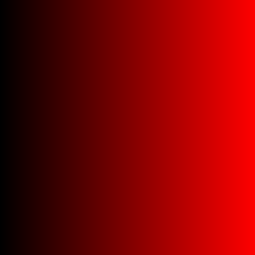
X
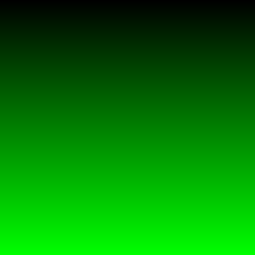
Y
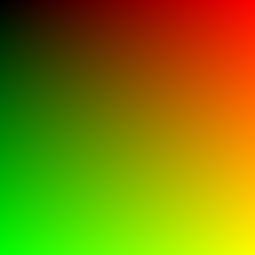
XY
UV Map
Eine "UV Map" ist ein mapping von 0-1 position in zwei dimensionen auf einem Mesh
UV Unwrapping
Ein Weg eine 2D Textur auf ein 3D Model zu legen
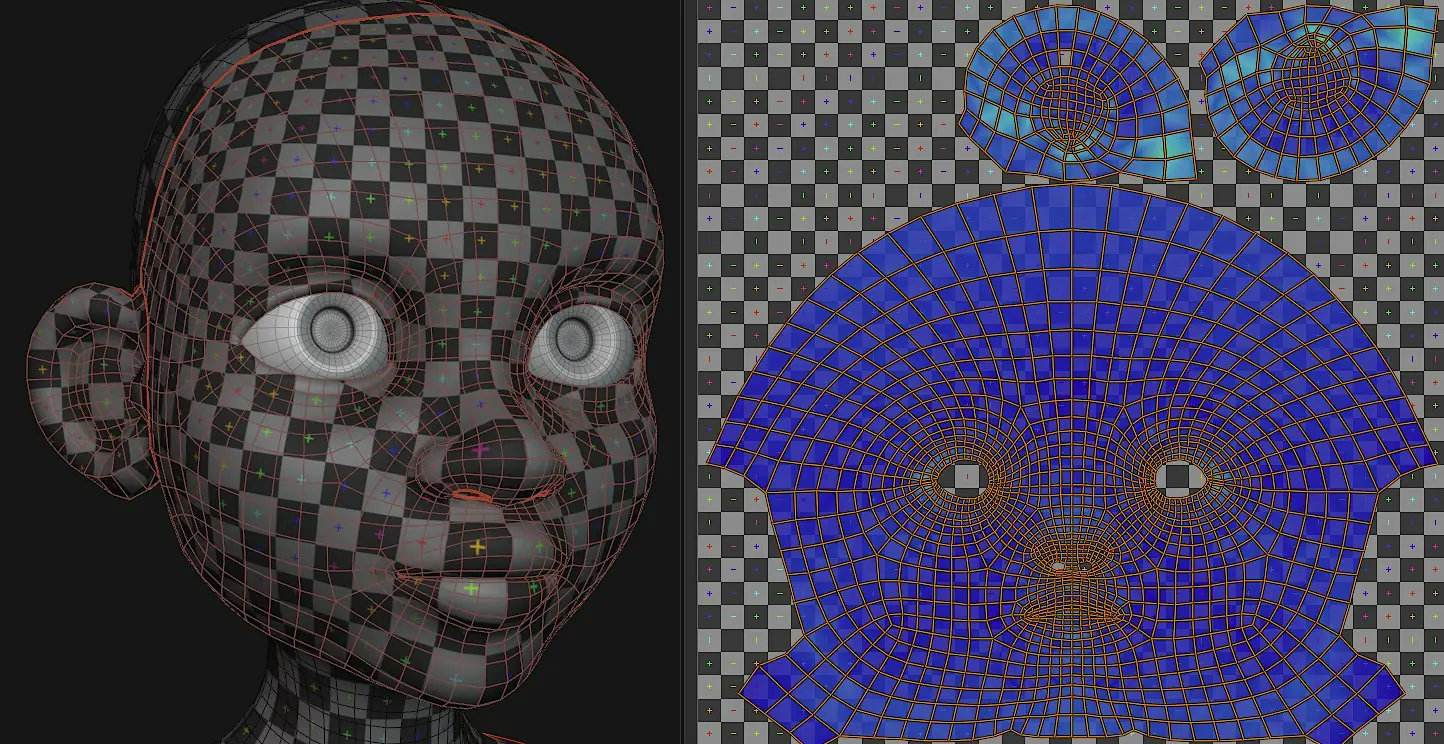
https://developer.blender.org/docs/release_notes/4.3/modeling/
UV Farbbeispiel mit GDShader
            shader_type canvas_item;
void fragment() {
	COLOR = vec4(UV.x, UV.y, 0, 1.0);
}
-
Pro Pixel wird Farbe auf die
UV.xundUV.yKoordinaten gemapped -
Wichtig: Pro Pixel des
Viewports, nicht derTexture - Vorteil: keine Festen Pixel → unendlicher Zoom (in der Theorie)
GDShader Funktionen
            shader_type canvas_item;

void vertex() {
	// Called for every vertex the material is visible on.
}

void fragment() {
	// Called for every pixel the material is visible on.
}

void light() {
	// Called for every pixel for every light affecting the CanvasItem.
	// Uncomment to replace the default light processing function with this one.
}
GDShader Typen
- Spatial
- CanvasItem
- Particle
- Sky
- Fog
uniform - Shader Parameter
                shader_type canvas_item;
uniform vec4 color : source_color;
uniform float amount : hint_range(0, 1);
uniform vec4 other_color : source_color = vec4(1.0); // Default values go after the hint.
uniform sampler2D image : source_color;
↓
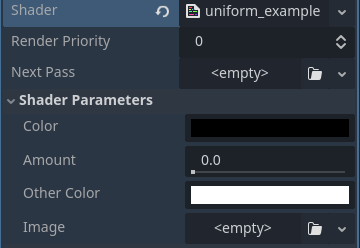
https://docs.godotengine.org/en/stable/tutorials/shaders/shader_reference/shading_language.html
Setzen der Shaderparameter in code
                // gdshader
shader_type canvas_item;
uniform vec4 color : source_color;
uniform float amount : hint_range(0, 1);
uniform vec4 other_color : source_color = vec4(1.0); // Default values go after the hint.
uniform sampler2D image : source_color;
↓
            # gdscript
var mat: ShaderMaterial = external_mat
mat.set_shader_parameter("color", Color.RED)
mat.set_shader_parameter("amount", 0.73)
mat.set_shader_parameter("other_color", Color.BLUE)
mat.set_shader_parameter("image", my_image)
Water "wobble" shader
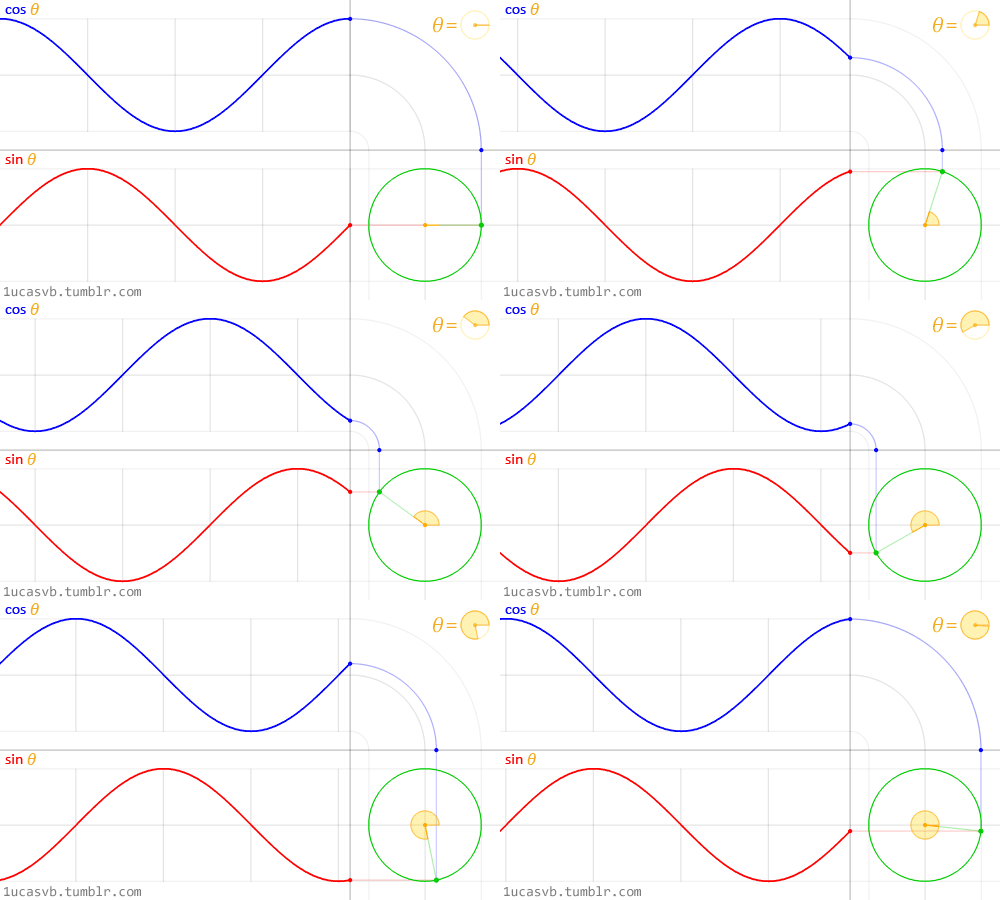
            shader_type canvas_item;
uniform float wave_frequency = 10.0;
uniform float wave_speed = 5.0;
uniform float wave_amplitude = 0.01;

void fragment() {
	float wave_x = sin(UV.x * wave_frequency + TIME * wave_speed) * wave_amplitude - wave_amplitude;
	float wave_y = cos(UV.y * wave_frequency + TIME * wave_speed) * wave_amplitude - wave_amplitude;
	vec2 wave_uv = UV + vec2(wave_x, wave_y);
	COLOR = texture(TEXTURE, wave_uv);
}
sin & cos
sin & sin
Teamcolor/Colorswap shader
"Falsch" (aber simpel)
              shader_type canvas_item;

uniform vec4 target_color : source_color = vec4(0.7, 0.0, 0.0, 1.0);

void fragment() {
	vec4 current_pixel = texture(TEXTURE, UV);
	if(current_pixel.r > (current_pixel.b + current_pixel.g) * 0.5)
	{
		current_pixel = target_color;
	}
	COLOR = current_pixel;
}
Richtig:
              shader_type canvas_item;

const float max_red_value = 190.0 / 255.0;
uniform vec4 target_color : source_color = vec4(0.7, 0.0, 0.0, 1.0);

void fragment() {
	vec4 current_pixel = texture(TEXTURE, UV);
	// check if pixel is primarily red coloured
	if(current_pixel.r > (current_pixel.b + current_pixel.g) * 0.5)
	{
		// divide by 190 (converted from 255 to 1.0 value), ca highest red value of the original images
		float mult = current_pixel.r / max_red_value;
		// check how close the colors are to approximate blending between colors
		float diff_g = current_pixel.g / current_pixel.r;
		// get min value of current color to adjust blending target
		float avg_val = (current_pixel.r + current_pixel.g + current_pixel.b) / 3.0;
		// adapt target color to actual pixel color
		current_pixel.rgb = target_color.rgb * mult + (vec3(avg_val) - target_color.rgb * mult) * diff_g;
	}
	COLOR = current_pixel;
}
Spatial Wobble Shader
              shader_type spatial;

uniform float wobble_speed : hint_range(0.1, 10.0) = 1.0;
uniform float wobble_amplitude : hint_range(0.01, 0.5) = 0.1;

void vertex() {
    // Calculate the distance from the center of the sphere
    float distance_from_center = length(VERTEX);

    // Calculate the wobble factor using a sine function
    float wobble_factor = sin(TIME * wobble_speed + VERTEX.x * 5.0) * wobble_amplitude;

    // Apply the wobble factor to the vertex position
    VERTEX.y += wobble_factor * distance_from_center;
    VERTEX.z += wobble_factor * distance_from_center;
}

void fragment() {
    // Simple fragment shader to render the sphere
    ALBEDO = vec3(0.0, 0.5, 1.0); // Blue color
}
Die XYZ Parameter
Alpha scroll spatial shader
              shader_type spatial;

uniform float pulse_speed : hint_range(0.1, 10.0) = 1.0;
uniform float pulse_amplitude : hint_range(0.01, 1.0) = 0.5;
uniform float scroll_speed : hint_range(0.1, 10.0) = 1.0;

void fragment() {
    // Offset the pulse factor by VERTEX.x position for a wave-like effect
    float offset_pulse = sin(TIME * pulse_speed + VERTEX.x * scroll_speed) * 0.5 + 0.5;
    // Apply the offset pulse factor to the alpha
    ALPHA = offset_pulse * pulse_amplitude;
    ALBEDO = vec3(0.0, 0.5, 1.0); // Blue color
}